
Why Does ChatGPT Recommend Your Competitors but Not Your Business?
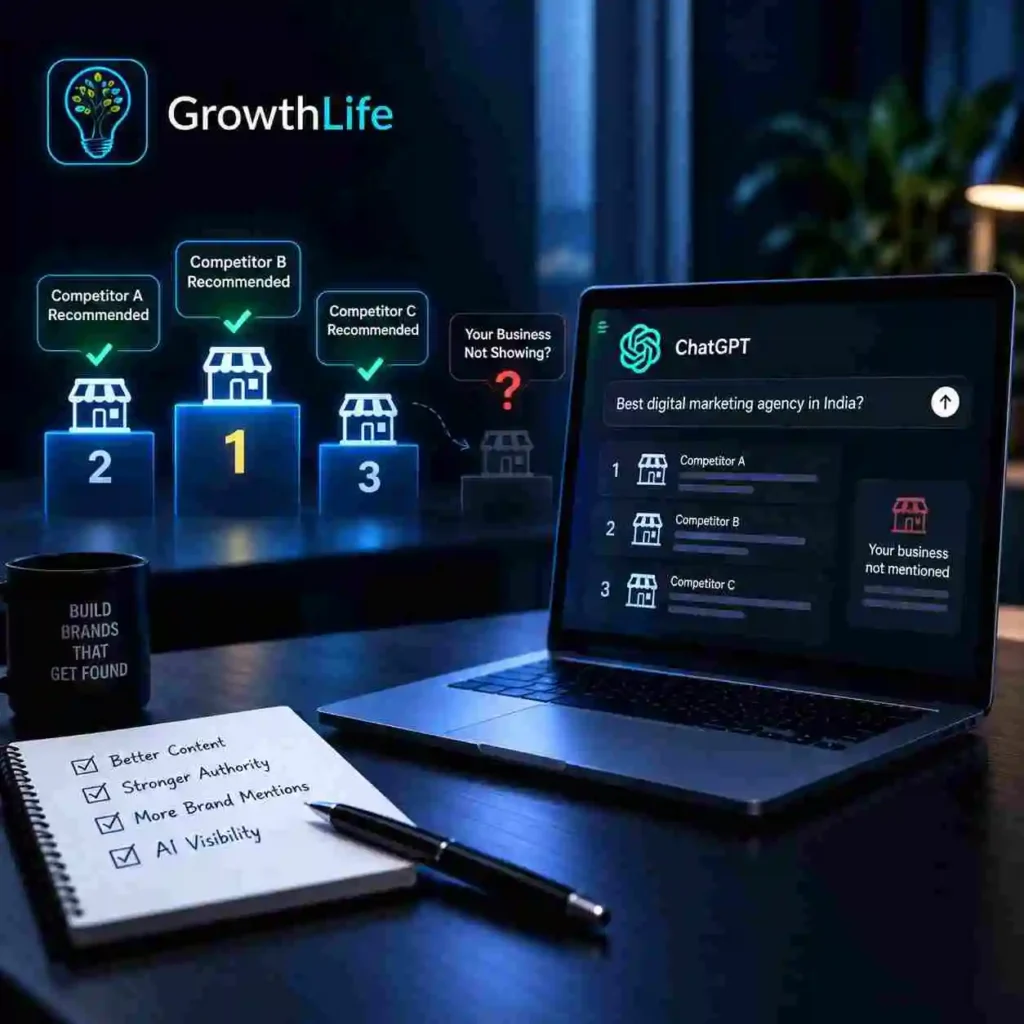
People are no longer using only Google to find a business. They are asking ChatGPT, Gemini and Google AI questions such as “best agency near me,” “best software company for my business,” or “which company should I choose?” Google says AI Overviews now reach more than 2.5 billion monthly active users, while AI Mode has passed 1 billion monthly users. So, what happens when AI recommends your competitors but leaves your business out? Why might competitors appear more often in AI answers? AI visibility is not based on one simple ranking factor. Clear website information, useful content, strong brand signals, credible third-party mentions and technical accessibility can all contribute to how easily a business is understood and discovered. Recent Reddit discussions show business owners noticing exactly this problem: they search for their service in ChatGPT and see competitors instead. This is an anecdotal community signal, not a confirmed ChatGPT ranking formula. Your website should clearly explain what you do, who you help, where you operate and why your expertise is credible. Is traditional SEO still important? Yes. Google specifically says its established SEO best practices remain relevant and foundational for appearing in its generative AI Search experiences. SEO, AEO and GEO should therefore work together rather than being treated as completely separate strategies. Quora for Business similarly describes GEO as a newer discipline that largely builds on clear entities, credible sourcing, structured content and technical crawlability. A good digital growth agency should combine these areas through structured growth marketing, rather than chasing every new AI acronym. “AI is the most profound platform shift of our lifetimes.” — Sundar Pichai, CEO of Google and Alphabet Can a business improve its chances of appearing in AI search? Publish original content that answers real customer problems instead of producing generic keyword-heavy pages. Keep your services, locations, company details and expertise consistent across your website and credible external profiles. Build trustworthy reviews, mentions, case studies and industry references. Create useful search and AI visibility systems that monitor important prompts and competitor appearances. For e-commerce brands, experienced e-commerce growth specialists can also improve product information, category content and buying guides. Businesses using AI video generation services should still support videos with useful page content so search systems have clear context. How can AI visibility actually be measured? Track whether your brand appears for a fixed list of relevant prompts. Compare brand mentions and citations with your competitors. Quora for Business describes AI search share of voice as the percentage of tracked AI answers in which your brand appears relative to competing brands. HubSpot also recommends connecting AI visibility with outcomes such as traffic, pipeline and revenue rather than measuring mentions alone. Google has made measurement easier by introducing dedicated generative-AI performance reports in Search Console. Google says these insights were rolled out worldwide by August 31, 2026. Do businesses now need GEO or AEO? For many businesses, the better approach is not SEO versus GEO. It is building strong SEO first and extending it for AI-driven discovery. Whether you work with performance marketing experts, an AI automation agency, a business process automation agency, or a custom software development company, discoverability increasingly matters throughout the buying journey. About Us Growth Life is a digital marketing agency in India helping businesses build stronger digital growth through SEO, GEO/AEO, web development, performance marketing, automation and AI-driven solutions. Our goal is simple: help businesses become easier to find, understand and choose across both traditional search and emerging AI platforms.
SEO vs AEO vs GEO: What Does Your Business Actually Need in 2026?
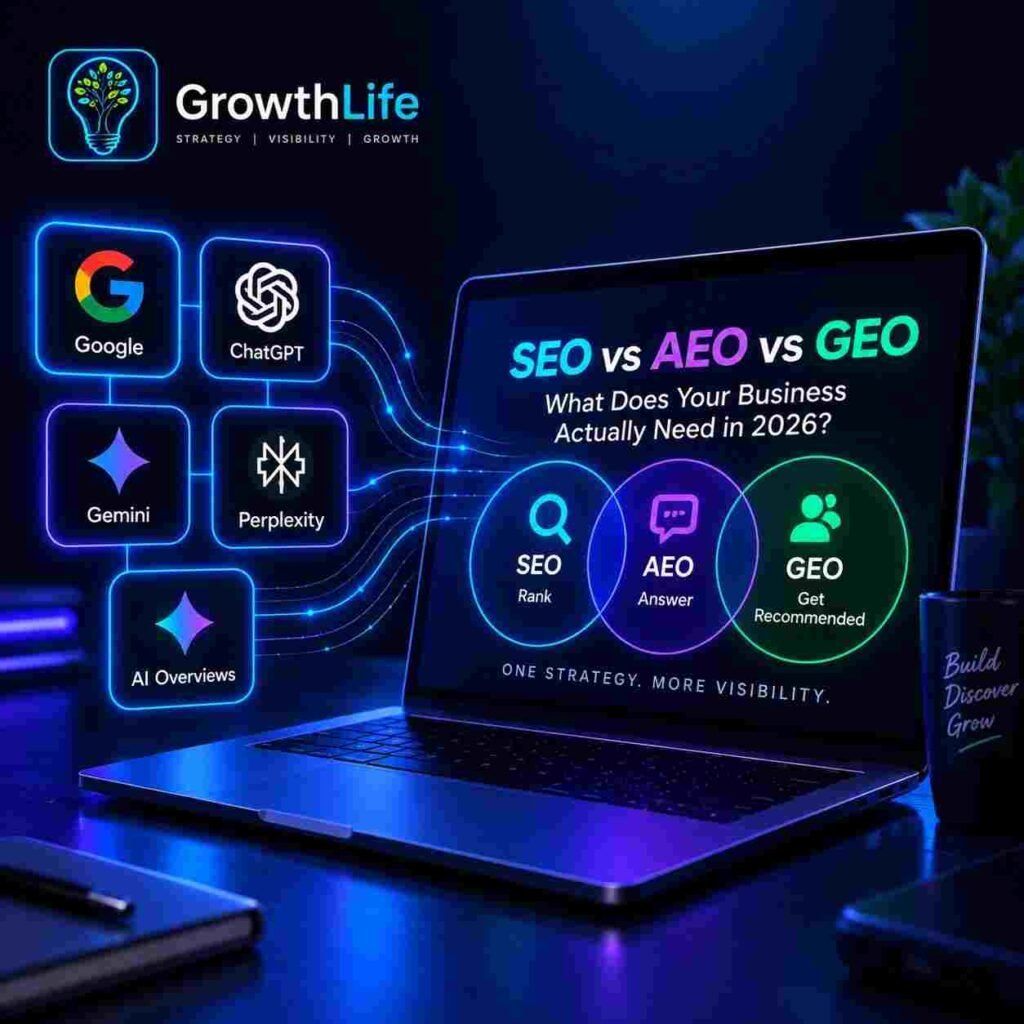
Search is no longer limited to Google. People now ask questions on ChatGPT, Gemini, Perplexity, Google AI Overviews and other answer engines. Because of this, businesses are hearing terms like SEO, AEO and GEO more often. For a modern digital growth agency, these are not separate buzzwords. They are different parts of a larger visibility strategy. What does SEO actually do? SEO, or Search Engine Optimisation, helps your website appear in traditional search results. It includes: keyword targeting technical SEO page speed internal linking backlinks useful content website structure SEO remains important because Google says its existing search best practices still matter for AI-powered Search features. A strong SEO foundation is usually the first step before adding advanced search and AI visibility systems. What is AEO? AEO, or Answer Engine Optimisation, helps your content become easier for answer engines to understand, extract and use. It can support visibility in: ChatGPT Gemini Perplexity Google AI Overviews featured snippets voice search AEO-focused content usually: answers questions directly uses clear headings gives useful facts avoids unnecessary filler makes information easy to scan For businesses using structured growth marketing, AEO should work alongside SEO, content and brand-building. What is GEO? GEO, or Generative Engine Optimisation, focuses on helping your brand or content become more visible in generative AI answers. It often depends on: brand authority original expertise trustworthy information third-party mentions strong service pages useful data and examples The terminology is still developing, but GEO generally focuses more specifically on generative AI discovery. Does AEO or GEO replace SEO? No. SEO, AEO and GEO should support each other. Weak SEO can make it harder for search systems to discover and understand your website. Strong SEO without answer-focused content can still limit visibility in AI-generated results. A simple way to understand them is: SEO helps you rank AEO helps you answer GEO helps your brand get mentioned in generative AI results Which one does your business actually need? Most businesses need a combination. A local business may need SEO first, then AEO-focused content. An e-commerce brand may need SEO for product discovery and GEO for comparisons and recommendations. A B2B company may need all three because customers often research brands across Google and AI tools before making contact. For companies looking for a digital marketing agency in India, the better approach is to choose a partner that can connect SEO, content, performance and automation rather than treating them as separate campaigns. Where does performance marketing fit? SEO, AEO and GEO focus mainly on organic discovery. Paid acquisition can support faster reach, testing and conversion. Performance marketing experts can use paid traffic data to understand which audiences, offers and landing pages actually generate results. This gives businesses a stronger feedback loop between visibility and revenue. Where does AI automation fit? SEO brings traffic. AEO and GEO improve discoverability. Automation helps businesses respond faster once leads arrive. An AI automation agency can automate lead routing, reporting, follow-ups and other repetitive workflows. For more complex needs, a business process automation agency or custom software development company can build deeper integrations, CRM systems and internal workflows. Does content format matter? Yes. Helpful written content is still important. Video is also becoming useful for education, discovery and social search. Businesses using AI video generation services can turn technical topics, product explanations and FAQs into more accessible visual content. Should e-commerce businesses use all three? In many cases, yes. E-commerce growth specialists may combine: SEO for product and category discovery AEO for buyer questions GEO for AI-driven recommendations performance marketing for paid acquisition automation for customer journeys This creates a more complete growth system. “Focus on the user and all else will follow.” — Google’s founding philosophy That principle still applies. Useful content should come before optimisation tricks. Final takeaway SEO is still the foundation, but businesses in 2026 should also think about how their brand appears in answer engines and generative AI. The best approach is to combine strong SEO, clear answer-focused content, brand authority, technical performance and consistent multi-platform visibility. About Us:Growth Life is a digital growth agency offering structured growth marketing, SEO, AEO, GEO, performance marketing, website development, AI automation, AI video generation and custom software solutions. We help businesses build connected systems for visibility, acquisition and growth.
How to Get Your Business Recommended by ChatGPT and Google AI Overviews in 2026
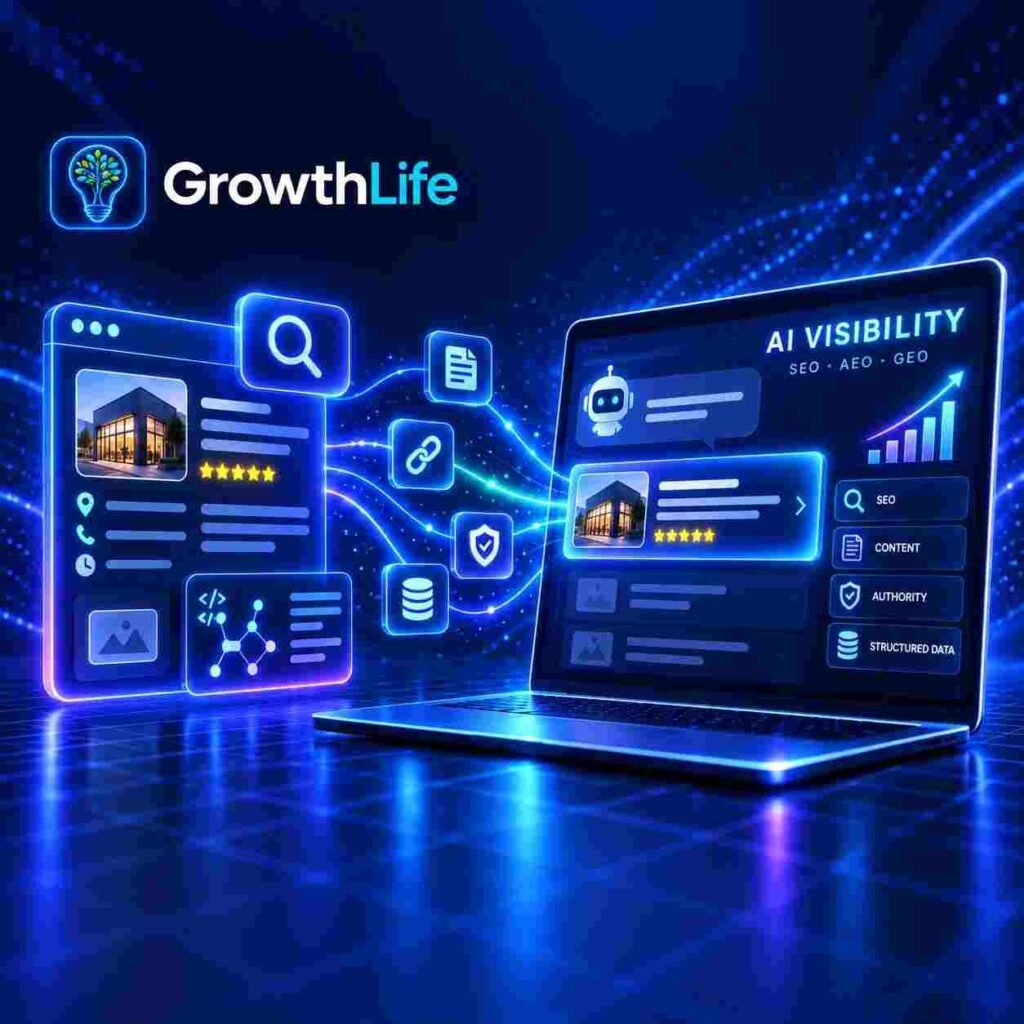
Search is changing quickly. People are no longer using only Google to find businesses, products, or advice. They are also asking ChatGPT, Gemini, Perplexity and other AI tools for direct recommendations. For businesses, this means visibility now depends on more than traditional rankings. A strong digital growth agency should now think about both search engines and AI discovery. How can a business appear in ChatGPT and AI search? Start with strong traditional SEO. Your website still needs crawlable pages, useful content, clear internal links and a technically sound structure. Create content that directly answers the questions your audience actually asks. Publish helpful comparisons, guides, FAQs and service pages that are easy to understand. Build brand mentions outside your own website through trusted communities, professional platforms and industry websites. Use structured growth marketing so SEO, content, social media and authority-building work together instead of separately. HubSpot recommends structuring content so individual sections can stand on their own and directly answer user questions. Is SEO dead because of ChatGPT? No. SEO is still the foundation. Google states that existing SEO best practices continue to apply to AI Overviews and AI Mode. What has changed is where discovery happens. Businesses now need search and AI visibility systems that help them appear across Google and AI-generated answers. Traditional search is still important, but brands should also monitor whether they are being mentioned, cited or recommended by AI platforms. What are SEO, AEO and GEO? SEO helps websites appear in traditional search results. AEO helps content become easier for answer engines to understand and use. GEO focuses on improving the chances that your brand or content is surfaced in generative AI answers. For companies working with a digital marketing agency in India, these three areas should not be handled as separate activities. They work best as part of one connected visibility strategy. Does schema markup guarantee AI visibility? No. Google says there is no special schema required to appear in AI Overviews or AI Mode. Structured data can still help search systems better understand supported information on your pages. It should always match the visible content on your website. Why can rankings stay stable while clicks fall? AI results can answer some questions without users clicking through. This means rankings alone are no longer enough. Businesses should also track: brand mentions citations AI referral traffic share of voice conversions This is especially important for brands using performance marketing experts, because paid and organic visibility should both support measurable business growth. Does website speed still matter? Yes. A slow WordPress site can create a poor user experience. Remove unnecessary plugins, optimise images, use reliable hosting and caching, and keep your website maintained. Fast pages also help users and crawlers access your content more efficiently. Should businesses automate everything with AI? No. Automation is best for repetitive processes such as lead routing, reporting, scheduling and customer follow-ups. A specialist AI automation agency can help businesses automate routine work without removing human judgement from important decisions. Businesses with more complex workflows may also need a custom software development company to build CRM systems, dashboards, integrations or internal tools. Is social media becoming part of search? Yes. Customers may research your business through Google, Reddit, LinkedIn, YouTube or AI assistants before contacting you. Keep your brand name, services and expertise consistent across platforms. Strong social visibility also supports trust and brand recognition. Businesses using AI video generation services can also explain products, services and processes more clearly through visual content that supports both engagement and discovery. Final takeaway The goal in 2026 is not simply to “rank on ChatGPT.” Build strong SEO, publish useful content, improve your authority, keep your website technically healthy and connect your marketing channels through a broader growth system. For e-commerce brands, working with e-commerce growth specialists can also help connect search visibility, paid campaigns, conversion optimisation and automation. About Us:Growth Life is a digital growth agency helping businesses with structured growth marketing, SEO, GEO, AEO, website development, AI automation, performance marketing, AI video generation and custom software solutions. We also help brands build stronger business process automation and digital visibility systems.
Is Your WordPress Media Library Secretly Slowing Down Your Business?
Is Your WordPress Media Library Secretly Slowing Down Your Business? Why does managing website media become so difficult? A website may begin with only a few images, videos and product pages. However, as the business grows, the media library can quickly turn into a crowded digital storeroom. Files get uploaded with confusing names, oversized images consume server space, old graphics remain forgotten, and product galleries take hours to update. Common problems include: Images named jpg with no SEO value Large files making pages load slowly Unused images consuming valuable storage Heavy videos affecting website performance Product galleries requiring repetitive manual uploads Difficulty identifying which files are optimized Fear of breaking pages while renaming or replacing media For an agency managing several websites, these small tasks can quietly become a full-time workload. How do these media problems affect business growth? Visitors do not wait patiently for a slow website. When images and videos take too long to appear, potential customers may leave before seeing the product or service. Poor media management can create: Slower page-loading speed Increased storage and hosting pressure Disorganized internal workflows Weak image SEO Wasted employee hours Inconsistent product galleries Difficulty maintaining large websites A business owner may think the website needs a more expensive server, while the real issue could simply be an unoptimized media library. Why are the usual solutions not always practical? Website owners normally use several separate plugins or manually download, rename, compress and upload every file again. This approach creates more work instead of reducing it. For example, someone may compress images with one tool, rename them through another plugin, check unused files manually and use an external application for videos. Apart from wasting time, moving between different tools can increase the risk of broken image links, missing product galleries and accidental file deletion. Is there a simpler way to control everything? This is where GrowthLife Media Suite Pro becomes useful. It brings several important WordPress media-management tools into one organized dashboard, helping users improve filenames, file sizes, storage usage, product galleries and loading behaviour without constantly switching platforms. Instead of treating every media problem separately, the plugin provides one connected workflow. What can GrowthLife Media Suite Pro actually do? Its main tools include: Media Rename: Rename uploaded media files and update their existing references Rename All: Add a saved word or prefix and rename multiple loaded files sequentially with one click. All Images Compress: Convert and compress images into a selected format and target file size. Selected Compression: Choose only specific images or compress every image shown on the page. Video Compressor: Convert videos to MP4 or WebM and reduce them toward a chosen target size. Unused Image Cleaner: Scan the website and identify images that are no longer being Bulk Gallery Uploader: Add images to WooCommerce product galleries more Eager and Lazy Loading Controls: Prioritize important visual content while delaying less important images. Media Health Dashboard: View optimization progress, library size and the total space The plugin is designed to update references when supported files are renamed, converted or replaced, reducing the need to reconnect media manually. How is it beneficial for digital agencies? Agencies often manage websites containing thousands of media files. Repeating the same optimization work for every client can reduce productivity and profitability. The plugin helps agencies by: Reducing repetitive media-management work Organizing client files with meaningful names Compressing selected files or complete image pages Cleaning old media after redesign projects Updating WooCommerce galleries faster Showing measurable space-saving statistics Managing key media tasks from one dashboard Imagine an agency receiving a website with 50,000 images. Instead of checking each file individually, the team can use structured scanning, bulk actions and progress information to handle the library more confidently. How does it help business owners? Most business owners want a faster and cleaner website, but they do not want to learn complicated server tools. With this plugin, they can: Reduce oversized product and banner images Remove genuinely unused media after reviewing it Improve filenames for better organization Compress promotional videos inside the browser Track how much storage has been saved Upload product-gallery images more efficiently Control which important images should load first A store owner can focus on products and customers instead of spending an entire afternoon renaming files or filling galleries one product at a time. Is it useful for freelancers and individual website owners? Yes. Individuals often perform the work of a designer, marketer, content creator and website manager alone. The plugin can help freelancers and personal website owners: Save time during website maintenance Prepare cleaner files for client delivery Improve image-loading priorities Keep the media library easier to search Reduce dependence on multiple external tools Avoid downloading and uploading files repeatedly Present clients with clear optimization results It can be especially useful for bloggers, freelancers, portfolio owners, small online stores and creators who regularly upload visual content. Can the plugin improve website speed automatically? It can support better performance by reducing image and video sizes and controlling eager or lazy loading. However, overall speed also depends on hosting quality, themes, scripts, caching, databases and other plugins. Its eager-loading controls can prioritize important hero or banner images, while lazy loading can delay images that are not immediately visible. This gives users more practical control over how visual content is delivered. What makes this solution different? The main advantage is not one isolated feature. It is the ability to manage several connected media tasks in one place. Users can rename files, compress images, reduce videos, clean unused media, fill galleries and monitor progress without building a complicated collection of separate tools. For agencies, it means improved workflow. For business owners, it means easier maintenance. For individuals, it means more control without unnecessary technical complexity. Who should consider using it? GrowthLife Media Suite Pro may be suitable for: WordPress agencies Freelance developers WooCommerce store owners Bloggers and publishers Business websites Portfolio owners Content-heavy platforms Anyone with a large or disorganized media library Ultimately, a website’s media library should
How to Collect More Website Leads Without Expensive Marketing Tools?
Introduction A website may receive hundreds of visitors, yet most people leave without calling, messaging or purchasing anything. This happens because visitors are often interested, but the website gives them no strong reason to take the next step. Common problems include: Visitors leave before exploring important pages Contact forms feel too long or complicated Offers are not shown at the right moment Businesses do not collect visitor information Follow-up depends entirely on manual work Valuable website traffic gets wasted A visitor who leaves without sharing any contact details may never return. This means businesses can spend money on advertising, SEO and content but still lose potential customers. Why is collecting leads difficult for small businesses? Many business owners believe that adding a basic contact form is enough. However, visitors rarely search for a form unless they already have a strong intention to contact the business. Lead collection becomes more difficult when: The offer is not clearly visible Every visitor sees the same message Forms ask for unnecessary information Popups appear too early or too frequently Free resources are delivered manually Fake email addresses enter the database Business owners may also use separate tools for popups, email lists, analytics, downloadable files and campaign scheduling. Managing several tools can increase costs and make a simple marketing task feel unnecessarily technical. What type of solution can make this process easier? A useful lead-generation system should do more than display a random subscription box. It should help businesses attract attention, collect relevant information, deliver an offer and organise the resulting leads from one place. This is where GrowOptin Pro can support WordPress website owners. GrowOptin Pro is a popup and lead-generation plugin designed to help users create targeted forms, collect subscriber details and manage campaigns directly from the WordPress dashboard. It combines several lead-generation activities inside one system. What can GrowOptin Pro do? The plugin allows users to create and control multiple website popups. Each popup can have its own: Name Heading Description Benefit points Call-to-action button Badge text Confirmation message Active or inactive status The popup text and design can be adjusted according to the offer, campaign or audience. Businesses can therefore create different popups for newsletters, quotations, consultations, discount offers, free guides or product enquiries. Can businesses decide when the popup appears? Yes. Showing the right offer at the wrong time can irritate visitors instead of converting them. GrowOptin Pro includes several popup triggers, such as: When the page loads After a selected number of seconds After the visitor scrolls a certain percentage When the visitor tries to leave After the visitor remains inactive When a button or link is clicked Users can also control how often a visitor sees the popup, including once, daily, weekly, monthly or every time. This helps reduce repetitive popups and creates a more controlled visitor experience. Can different visitors receive different campaigns? The plugin provides targeting and display controls for more personalised campaigns. Popups can be shown according to: Homepage, posts or pages WooCommerce product pages Categories and tags Specific website URLs New or returning visitors Guests or logged-in users Desktop, tablet or mobile devices Selected countries Browsers UTM campaign sources For example, visitors arriving from a Facebook advertisement can see a different offer from visitors arriving through Google. This makes campaigns more relevant and can help businesses understand which marketing source produces stronger leads. What information can the forms collect? GrowOptin Pro includes customisable form fields for different business requirements. Users can collect information such as: Name and email Phone and WhatsApp number Company and website Country, state and city Address and postcode Preferred date or time Written requirements File uploads Consent and GDPR confirmation Fields can be enabled, disabled or marked as required. Users can also change labels, placeholders, widths, validation rules and conditional logic. This means an agency can collect project requirements, while a consultant can collect appointment details using the same plugin. How does the plugin help with free downloads? Businesses often offer valuable resources in exchange for a visitor’s email address. These resources may include: PDF guides Checklists ZIP files Spreadsheets Documents Images Videos Audio files GrowOptin Pro can connect a downloadable resource with a specific popup. After a visitor subscribes, the correct file can be emailed automatically. Download buttons may also be displayed after submission when required. How does it help agencies? Agencies often manage different lead campaigns for multiple services or clients. GrowOptin Pro can help agencies: Build separate campaigns for different services Collect detailed client requirements Schedule promotional popups Export subscriber data into CSV files Create reusable email templates Send emails from the WordPress dashboard Review views, clicks and conversions Track which popup generated each subscriber Instead of connecting several unrelated tools, agencies can manage important lead-generation activities from one dashboard. This can reduce repetitive setup work and make campaign reporting easier. How does it benefit business owners? Business owners can use the plugin without depending on a developer for every campaign change. They can: Promote seasonal offers Collect quotation requests Build an email database Offer discount codes Deliver free resources Capture visitors before they leave Test different popup messages Schedule campaigns in advance The plugin also includes strict email validation, double opt-in options and mailbox checking features designed to reduce fake or disposable email submissions. Cleaner subscriber data means businesses can spend less time dealing with unusable leads. Is it useful for individual professionals? Yes. The plugin is not limited to large companies or marketing agencies. It can be useful for: Freelancers Coaches Trainers Consultants Bloggers Designers Developers Content creators Local service providers An individual professional can collect consultation requests, distribute resources or build a subscriber list without purchasing several separate marketing platforms. Does the plugin provide campaign performance data? GrowOptin Pro includes analytics for monitoring popup activity. Users can review information such as: Popup views Button clicks Conversions Subscriber growth Recent subscribers Audience information Download activity This information helps users identify which message, offer or popup performs better. Instead of guessing what visitors prefer, businesses
How to Manage Website Colours, Fonts and Buttons Without Editing Every Page?
Introduction You may only want to change one colour, font or button style. But that same element could already appear across your homepage, product pages, forms, banners, checkout and mobile layout. You update one section, refresh your website and then notice that several other pages are still showing the old design. You may find yourself: Opening the same settings repeatedly Searching through multiple Elementor sections Fixing mismatched colours and fonts Checking desktop and mobile separately Contacting a developer for minor changes Worrying that one edit may break something else At this point, a simple design update starts feeling like you are rebuilding your entire website. How can inconsistent design affect your business? When your website uses different button styles, font sizes or colours across different pages, your visitors notice the inconsistency—even when they cannot explain it. Your website may still function, but it may no longer feel polished, trustworthy or professionally managed. You may experience: Slower website redesigns Higher development costs Delayed campaign launches Weak brand consistency Poor mobile readability More client revision requests Hours lost on repetitive editing For an agency, these repeated changes reduce productivity. For a business owner, they make every campaign dependent on technical support. Why might your existing design tools still feel limited? Page builders give you excellent control, but they often require you to edit individual widgets, sections or templates. This works well when your website is small. It becomes difficult when you are managing dozens or hundreds of design elements. You may also have: Custom colours added manually Inline styles inside old pages WooCommerce buttons with separate settings Templates created at different times Elements that ignore your global styling Your global settings may update some areas, while older sections continue showing the previous design. How can you control your website design from one place? This is where GrowthFlow Instant DesignKit can simplify your workflow. Instead of opening every page separately, you can manage your website’s visual settings through one organised control panel. You can use it to manage: Website colours Font families Heading and paragraph sizes Font weights Button colours Hover effects Line height Letter spacing Background gradients Button gradients Desktop typography Mobile typography Light, dark and natural modes You are not replacing your page builder. You are adding a faster way to control the design system around it. How can you replace colours across your website? Start by identifying the colour you want to remove. Then choose the new colour you want to use. The plugin applies the replacement across matching website elements while leaving unrelated colours unchanged. You can use this when you are: Rebranding your website Updating a client’s colour palette Preparing a festive campaign Correcting inconsistent shades Introducing a new visual identity Testing a different brand direction You can also create multiple replacement rules. This allows you to update several colours without opening every page. How can you find the colours already being used? You may not remember every hexadecimal code used across your website. The Sync My WebColor feature scans your live website and collects colours found in visible design elements. You can then select the detected colours and send them directly into the replacement area. This helps you avoid: Inspecting CSS manually Searching for colour codes Opening every Elementor widget Guessing which shade was used Depending on browser developer tools The plugin can also detect longer hexadecimal colour formats, including colours with transparency values. How can you improve your website typography? You can apply fonts to headings, paragraphs, spans, lists and buttons. You can choose from your website fonts, system fonts, Google Fonts or add a custom Google Font using its embed information. You can adjust: H1 to H6 headings Paragraph text Bullet lists Button text Desktop font sizes Mobile font sizes Font weight Line height Letter spacing This helps you create typography that feels consistent and easier to read across your website. How can you make every button look consistent? Buttons often become inconsistent because some are standard buttons while others are links styled to look like buttons. The plugin can detect and recolour different button types, including Elementor link-based buttons. You can control: Background colour Hover background colour Text colour Hover text colour Font size Font weight Border radius Transition speed Desktop appearance Mobile appearance You can update the style once and create a more unified experience throughout your website. Can you create gradients without writing CSS? Yes. You can use the built-in gradient generator to preview different gradient combinations before applying them. You can add gradients to: Website backgrounds Headings Buttons Button hover states You can also replace a solid colour with a gradient. This gives your website a more modern appearance without manually writing CSS. How can the theme-cloning feature help you? The Clone Any Theme tool can analyse a public webpage and detect its colour palette, fonts and primary button styling. You can then review the detected design elements and choose which ones you want to use. This feature does not copy the website’s written content. It helps you study and recreate selected visual patterns. You may use it to understand: Colour combinations Font pairings Button styling Visual hierarchy Design consistency How can an agency use this plugin? When you manage several client websites, repeated design changes can consume hours. With one central workflow, you can handle branding updates, redesigns and client revisions more efficiently. You can use the plugin to: Complete redesigns faster Reduce repetitive Elementor edits Test colours more quickly Correct mobile typography Maintain client brand consistency Reduce revision time Manage more projects with the same team Restore previous colour settings Instead of editing twenty websites manually, you can create a more structured process for each project. How can you use it as a business owner? You can make important visual updates without contacting a developer for every small change. You can prepare your website for: Product launches Seasonal sales Festive promotions Brand refreshes New colour campaigns Mobile readability improvements Button design experiments This gives
Why Do So Many Websites Struggle to Rank Even After Publishing Great Content?
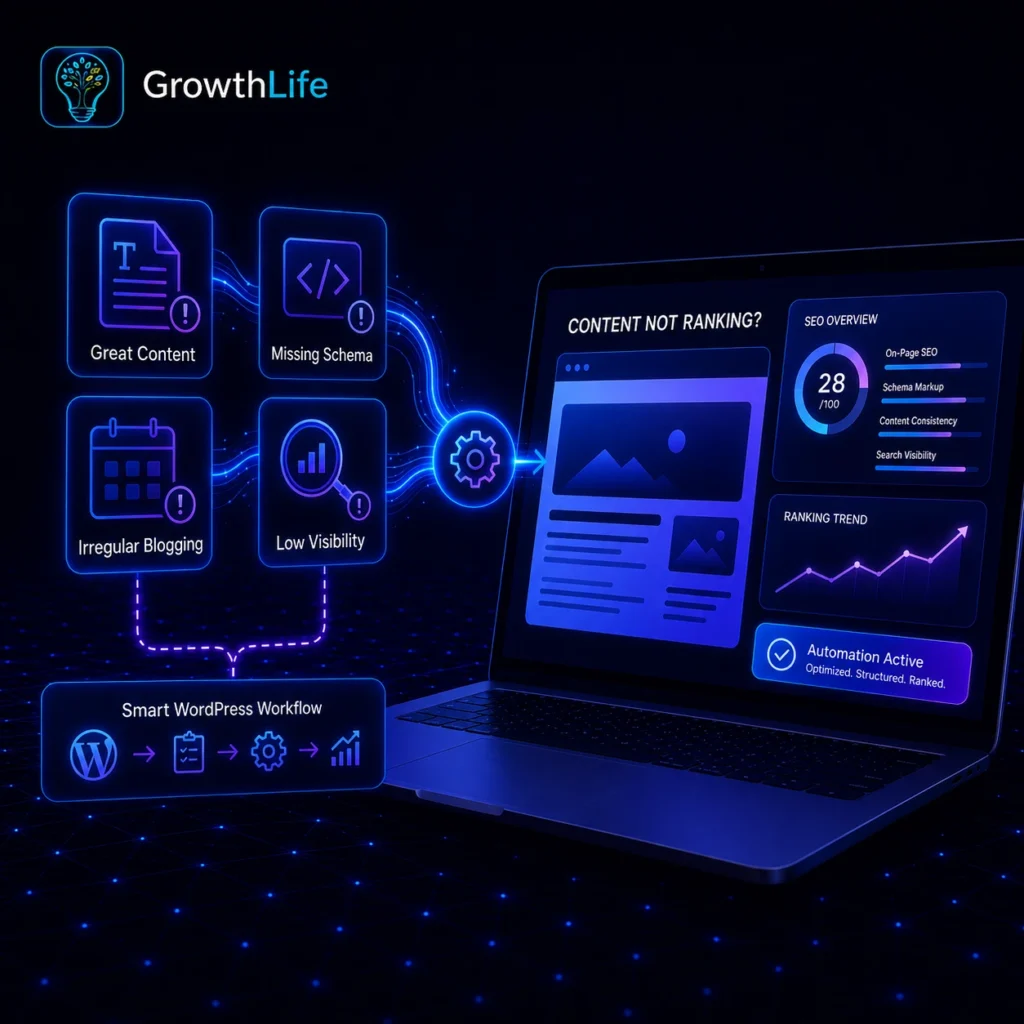
Why Do So Many Websites Struggle to Rank Even After Publishing Great Content? Many website owners believe publishing articles is enough. But after weeks or even months, the traffic barely moves.The real problem often hides behind the scenes.• Poor SEO structure• Missing Schema Markup• Irregular blogging• Low search visibility• Manual SEO mistakesEven excellent content can stay invisible if search engines don’t fully understand it. Why is managing SEO manually so difficult? Every product, page, and blog needs proper optimization. Adding schema manually requires technical knowledge. Scheduling blogs takes extra time.Updating everything repeatedly becomes exhausting. For many people, SEO slowly turns into a full-time job. Who faces these challenges the most? Almost everyone running a website. Especially:• Digital Marketing Agencies• Small Business Owners• WooCommerce Store Owners• Bloggers• Freelancers• Local Businesses• Beginners using WordPressNo matter the experience level, repetitive SEO work steals valuable hours. Is there an easier way to handle all of this? Yes.Instead of performing every SEO task manually, many website owners now rely on automation. This is where a smart WordPress solution starts making a noticeable difference.It combines schema generation, blog scheduling, and local business optimization into one workflow.What does this plugin actually do?Rather than making users handle technical SEO manually, the plugin simplifies the entire process.It helps by automatically managing important structured data and publishing tasks.Key features include:• Auto Product Schema• Auto Page Schema• Local Business Schema• Blog Scheduling• Auto Publishing• Easy Dashboard ManagementInstead of spending hours configuring every page, much of the work becomes organized in just a few clicks. How does it help digital marketing agencies?Agencies often manage dozens of client websites.Repeating the same SEO tasks again and again wastes valuable billable hours.This plugin helps agencies by:• Managing multiple SEO tasks faster• Reducing repetitive manual work• Maintaining consistency across websites• Delivering projects more efficiently• Saving hundreds of work hours over timeInstead of focusing on repetitive setup, teams can concentrate on strategy and client growth. Why is it useful for business owners? Business owners usually don’t have time to learn technical SEO. They want more visibility without hiring large teams. The plugin helps by:• Keeping blogs scheduled automatically• Improving search engine understanding• Supporting better website organization• Helping products appear more structured• Reducing dependency on developersIt allows owners to spend more time growing the business instead of managing backend tasks. Can individual bloggers also benefit? Absolutely.Many bloggers struggle to stay consistent. Writing articles is already difficult.Publishing them regularly becomes another challenge.With scheduled publishing and automatic schema management, creators can focus more on producing quality content instead of worrying about technical optimization.Why does Schema Markup matter so much?Search engines don’t simply read words.They also try to understand what every page represents. Schema helps explain:• Products• Businesses• Web PagesImportant Website InformationBetter understanding often leads to stronger search visibility and improved appearance in search results. How much time can automation really save?Think about managing:• 300 products• 100 pages• Weekly blogs• Local business informationDoing everything manually could take days.Automation reduces repetitive work dramatically, allowing website owners to spend their energy where it matters most. Sometimes the biggest SEO improvement isn’t working harder—it’s removing unnecessary work altogether.Who should consider using this plugin?It is an excellent choice for anyone who wants a smarter WordPress workflow.Especially:• ⬛ SEO Agencies• ⬛ WooCommerce Stores• ⬛ Local Businesses• ⬛ Bloggers• ⬛ Freelancers• ⬛ Small Businesses• ⬛ Website ManagersWhether managing one website or fifty, automation helps simplify complex SEO tasks while keeping everything organized.Final ThoughtsModern SEO isn’t just about writing great content. It’s also about making sure search engines understand your website and your content reaches the audience at the right time.When schema generation, blog scheduling, and structured website management work together, maintaining a WordPress website becomes faster, simpler, and far less stressful.For agencies, business owners, and individual creators alike, smart automation isn’t just a convenience anymore—it’s becoming an essential part of building a website that grows consistentlyA Note from GrowthLifeEvery successful website deserves tools that save time and deliver real value. At GrowthLife, we create WordPress plugins and digital solutions designed to simplify SEO, automate everyday tasks, and help website owners achieve sustainable growth without unnecessary complexity.
Are Repetitive Tasks Quietly Slowing Down Your Business?
Introduction At the beginning, handling every task manually may feel manageable. You answer enquiries, update records, send reminders and prepare reports yourself. But as customers, projects and responsibilities increase, those simple tasks begin consuming most of the working day. Common difficulties include: Repeating the same actions every day Copying information between different platforms Forgetting customer follow-ups Updating spreadsheets manually Searching for information across multiple tools Depending on one employee for important processes The problem is not always a lack of effort. Sometimes, the real problem is that the work has no organised system. What Are the Risks of Managing Business Tasks Manually? Manual work creates invisible pressure. A small mistake in a customer record, invoice, appointment or follow-up can affect the entire customer experience. When employees remain busy with repetitive work, they get less time for strategy, creativity and meaningful customer communication. This can lead to: Delayed responses Missed sales opportunities Inconsistent customer service Duplicate or incorrect information Employee frustration Higher operational costs Difficulty managing business growth A growing business should not require the owner to personally check every small activity. Why Do Multiple Software Tools Make Business Management More Difficult? Many businesses purchase separate tools for emails, customer management, reporting, scheduling, payments and team communication. However, these tools often work separately. Employees still have to move data from one platform to another. Instead of simplifying the process, the business may end up managing more dashboards, passwords and subscriptions. What Type of System Does a Growing Business Need? A business needs a connected system that can perform routine actions automatically based on predefined rules. For example: A new enquiry can be saved automatically The sales team can receive an instant notification A personalised acknowledgement can be sent A follow-up task can be scheduled Customer status can be updated A report can be generated for management This is where an Automation System becomes valuable. What Is the GrowthLife Automation System? The GrowthLife Automation System is designed to connect business processes and reduce unnecessary manual work. It helps transform scattered activities into structured workflows that can run with less daily supervision. Instead of forcing every business into the same setup, the system can be planned around the organisation’s actual requirements. It may connect websites, customer-management systems, forms, internal dashboards, third-party services and other business tools. How Does a Business Automation System Work? The process begins when a specific action takes place. This action becomes the trigger for the next automated steps. For example: A visitor submits an enquiry form The information enters the appropriate system The correct team member receives an alert A response is sent to the visitor A follow-up is added to the schedule The activity appears in a central report The work that once required several manual steps can now move through one organised workflow. How Can Automation Help Digital and Creative Agencies? Agencies usually manage several clients, campaigns, approvals, reports and communication channels simultaneously. Automation can help agencies: Organise incoming client enquiries Assign tasks to the correct team members Schedule recurring client updates Collect project information through forms Generate regular performance reports Track leads and project progress Reduce repetitive administrative work This allows the agency team to spend more time on campaigns, design, development and client strategy. What Are the Benefits of Automation for Business Owners? Business owners often become the connection between every department. Employees contact them for approvals, reports and basic operational decisions. An automation system can help owners: See important information from one place Receive alerts only when action is required Reduce dependency on manual monitoring Improve enquiry response times Build consistent customer journeys Manage more work without immediately expanding the team Make decisions using organised data The owner remains informed without becoming involved in every repetitive step. Can Freelancers and Individuals Use Business Automation? Yes. Automation is not limited to large organisations. Freelancers, consultants, coaches and individual professionals also repeat many tasks while managing their work alone. They can use automation to: Respond to new enquiries Schedule discovery calls Send appointment reminders Collect client requirements Organise project information Track pending follow-ups Send routine updates Maintain customer records For an individual professional, automation can function like a digital assistant working quietly in the background. Does Business Automation Replace Human Employees? No. Good automation should remove repetitive effort, not human relationships. Personal conversations, creative decisions, customer support and strategic thinking still require human understanding. Automation simply handles predictable actions so people can focus on work that requires judgement and empathy. Can the Same Automation Workflow Work for Every Business? Not necessarily. Every business has different customers, services, team structures and approval processes. A useful system should be designed after understanding: Which tasks are repeated most often Where information currently gets delayed Which tools the business already uses Which mistakes happen frequently Which processes require human approval What outcome the business wants to improve The objective is not to automate everything. It is to automate the right activities. What is the What Are the Biggest Benefits of a Business Automation System? The biggest benefit is not simply saving a few minutes. It is creating a business that operates more consistently, responds faster and depends less on constant manual supervision. For agencies, it provides better control across clients and projects. For business owners, it creates clearer operations and more freedom to focus on growth. For individuals, it reduces administrative pressure and makes professional work easier to manage. The GrowthLife Automation System helps turn disconnected tasks into a structured digital workflow, allowing people to work with greater speed, clarity and confidence. How Do You Know When It Is Time to Automate Your Business? Ask yourself one simple question: How many hours does your team spend every week repeating work that a connected system could complete automatically? The answer may reveal that the business does not need more effort. It needs a smarter way of working. About GrowthLife GrowthLife provides practical digital solutions designed to help agencies, business owners and individuals work more efficiently. From WordPress tools and automation
Short-Form Video Is Cheap, WhatsApp Is King: The 2026 Growth Playbook for Small Indian Brands
Introduction If you run a small business or a D2C brand in India, you’ve probably felt it this year: the old playbook — a few boosted posts, a festive-season sale banner, maybe a WhatsApp broadcast blast — just isn’t moving the needle the way it used to. Meanwhile, your customers are scrolling Reels between meetings, ordering snacks off a marketplace app, and asking you questions on WhatsApp before they’ll even look at your website. That’s not a coincidence. It’s a shift. And in 2026, two trends are doing most of the heavy lifting for brands that are actually growing: cheap, high-volume short-form video and WhatsApp as a full sales channel, not just a support line. If you get these two right, everything else — your ads, your marketplace listings, your influencer spend — works harder for less money. Here’s what’s actually happening, and what to do about it before your competitors figure it out first. 1. Short-form video just got a lot cheaper to run Reels-style content is no longer a “nice to have” for brand awareness — it’s become the most cost-efficient placement on the table. Cost-per-thousand-impressions on Reels is running well below standard feed posts right now, simply because platforms are still building out that inventory and rewarding advertisers who show up with native, unpolished, scroll-stopping content. What this means practically: if your current mix is mostly static image ads and long-form posts, you’re paying a premium for a format buyers are tuning out. Brands seeing real traction in Q1 2026 are running budgets that are roughly 60-70% short-form video, with the rest split between native-style reels ads and other formats. What to actually do: Repurpose one piece of “real” content a week — a founder answering a customer question, a behind-the-scenes packing video, a 15-second before/after — instead of one polished ad a month. Don’t over-produce. Native, phone-shot content is outperforming studio ads right now because it doesn’t look like an ad. Test the same offer across 3-4 short video hooks before you scale spend on any single one. 2. WhatsApp isn’t your support channel anymore — it’s your storefront Here’s the number that should change how you budget: brands driving repeat purchases through WhatsApp are seeing conversion and retention rates multiple times higher than the same journeys run through email. Cart-recovery messages sent via WhatsApp are converting in the double digits, compared to a fraction of that through email reminders. For food, beauty, and D2C brands especially, this is the single highest-leverage channel most small businesses are still under-using. Customers already trust WhatsApp for everyday conversations — asking “is this in stock?” or “can I get this by Friday?” over WhatsApp feels natural in a way that filling out a website form never will. What to actually do: Set up WhatsApp Business catalog + automated cart-recovery flows before your next sale event, not during it. Move your post-purchase follow-ups (reorder reminders, review requests, restock alerts) off email and onto WhatsApp where open rates are dramatically higher. Use it as a two-way channel — let customers ask questions and place orders in the same thread, not just receive broadcasts. 3. Budget smart, not big You don’t need a six-figure monthly ad budget to make either of these work. As a rough guide for small Indian businesses in 2026: Starter (₹15,000–25,000/month): SEO fundamentals + organic short-form content + WhatsApp catalog setup. Growth (₹25,000–50,000/month): Add email/WhatsApp automation and your first paid short-form ad tests. Accelerated (₹50,000–1,00,000/month): Layer in Google or Meta ads once your organic content and WhatsApp flows are already converting. The mistake most small businesses make is reversing this order — spending on ads before the content and retention channel underneath them are actually working. Fix the foundation first; the paid spend will go much further. The bottom line You don’t need to be everywhere in 2026. You need to be genuinely good at two things: showing up in short, native video that doesn’t feel like advertising, and turning WhatsApp into a real sales and retention engine instead of a place customers go to complain. Brands that nail both are getting more growth out of smaller budgets than ever before — which is exactly the kind of leverage a small business needs. Ready to put this into practice? If you’re not sure where your brand’s biggest gap is — content, WhatsApp flows, ad spend, or all three — that’s exactly what a growth strategy call is for. Book a free Digital Growth Strategy Call with GrowthLife (growthlife.in/contact-us/) and we’ll map out where your next ₹25,000 should actually go.
Your Customers Are Asking ChatGPT Before They Ask Google. Is Your Business Even in the Answer?
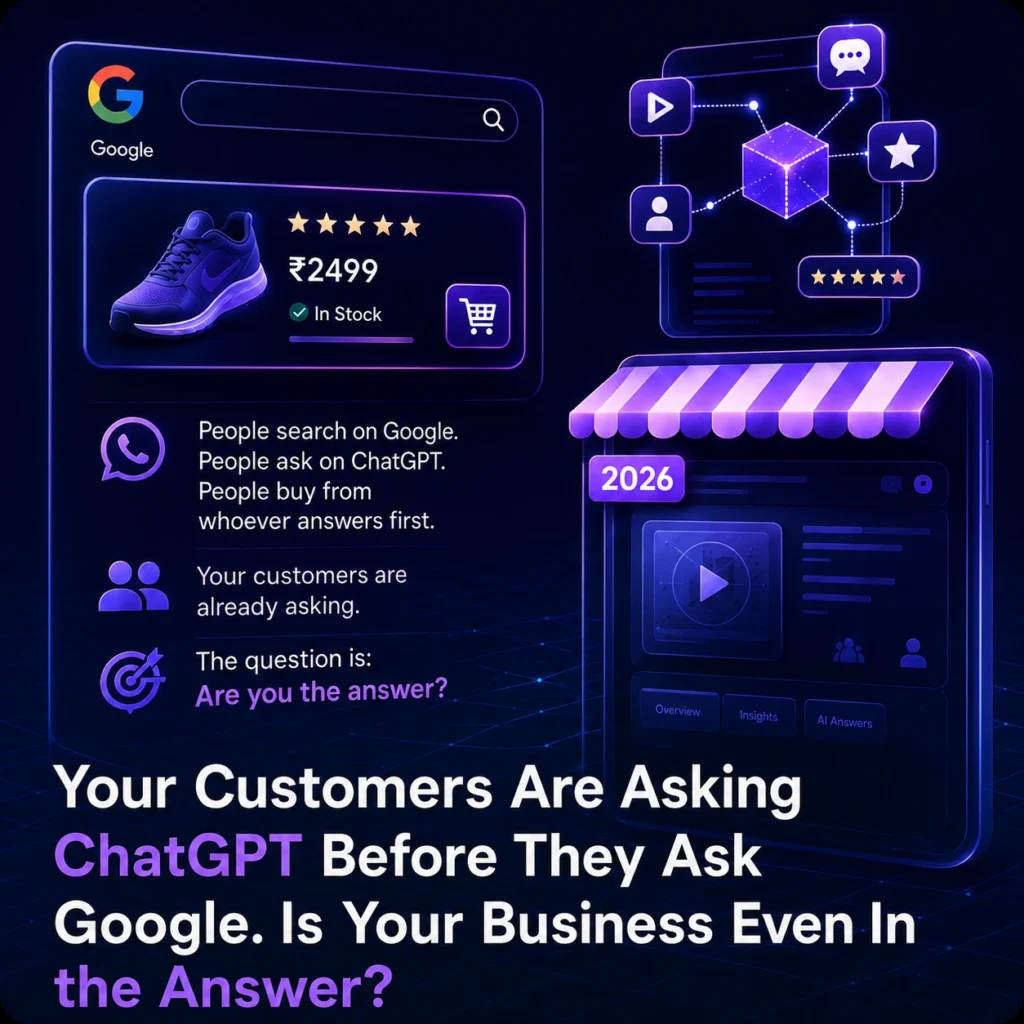
SEO Metadata Meta description (~155 characters): Google isn’t the only search engine anymore. Here’s how Indian small businesses can get cited by ChatGPT, Perplexity, and AI Overviews in 2026. Suggested URL slug: /blog/generative-engine-optimization-geo-guide-small-business-india Target keywords: generative engine optimization India, GEO vs SEO, get cited by ChatGPT, AI search visibility small business, answer engine optimization India, AI Overviews SEO 2026 Introduction Try this experiment: the next time you need a plumber, a CA, or a good digital marketing agency, notice what you actually do. Chances are, you don’t type three keywords into Google and scroll through ten blue links anymore. You open ChatGPT or Perplexity and just ask — “who’s a reliable digital marketing agency in Pune for a D2C brand?” — and you take the answer it gives you seriously. You’re not alone. Over half of Google searches now end without a single click, and AI-generated answers are showing up in the vast majority of searches people run. In India specifically, Perplexity usage grew over 600% in the last year alone, and traffic referred by AI tools to websites has jumped more than 500% year-over-year. Your customers’ habits have already changed. The question is whether your business changed with them. This is the shift the industry is calling GEO — Generative Engine Optimization. And if you run a small or mid-sized business, understanding it in plain terms (not jargon) could matter more to your next twelve months of leads than almost anything else in your marketing plan. Wait — Isn’t This Just SEO With a New Name? Not quite, and the difference matters. Traditional SEO’s job is to get your website to rank on a results page so a human clicks through. GEO’s job is different: it’s about getting your business mentioned, recommended, or quoted directly inside an AI-generated answer — sometimes with zero click required at all. Here’s the part that should make you sit up: visitors who do click through from an AI citation convert at roughly four times the rate of a typical Google visitor. Why? Because the AI already vouched for you. By the time someone lands on your site from a ChatGPT recommendation, they’re not comparison shopping anymore — they’re pre-sold. So GEO isn’t a replacement for SEO. Think of it as the newer sibling that lives in the same house. SEO still drives your everyday Google traffic. GEO decides whether you exist at all in the conversations happening on ChatGPT, Perplexity, and Google’s AI Overviews — conversations your competitors may already be winning. Why This Matters More for Small Businesses Than You’d Think Big brands have marketing departments obsessing over this already. The good news for smaller businesses is that GEO currently rewards a different kind of advantage — one that doesn’t require a massive budget: Clarity beats size. AI engines favor content that answers a specific question plainly, not content stuffed with keywords. A well-written FAQ page from a 5-person business can out-cite a bloated corporate site. Trust signals compound fast. Reviews, structured data, consistent business information across the web, and genuine expertise all feed directly into whether an AI trusts you enough to recommend you. Results move quickly. Where classic SEO can take 6+ months to show movement, well-structured GEO content — think clear “quick answer” sections and FAQ schema — has shown citation results in as little as 3-4 weeks on established domains. In other words, this is one of the rare moments where an agile small business can move faster than a slow-moving enterprise competitor. Five Things You Can Do This Month You don’t need to overhaul your entire digital presence overnight. Start here: Add a genuine FAQ section to your key pages. Write out the actual questions customers ask you on calls or WhatsApp, and answer them in plain, direct language — the first sentence should be the answer, not a lead-up. Claim and fully complete your Google Business Profile. It’s still one of the biggest trust signals AI tools pull from, especially for anything local. Use structured data (schema markup). FAQPage and Organization schema help AI systems parse what your business actually does and answers, not just guess from prose. Get mentioned, not just linked. Reviews, directory listings, guest posts, and press mentions all feed the “who is this business” picture that AI engines build. Consistency of your name, address, and services across the web matters more than ever. Write like you’re answering a real question, not writing an ad. AI models are trained to surface useful, specific, human answers — not marketing copy. The businesses winning citations right now are the ones that sound like a knowledgeable person, not a billboard. The Bottom Line Search didn’t disappear — it just grew a second doorway. Some of your future customers will still Google you. Increasingly, a growing number will ask an AI assistant instead and trust whatever name comes back first. Showing up in that answer isn’t a “nice to have” anymore; for a lot of buying decisions, it’s becoming the only impression you get. The businesses that treat this as an experiment to watch from the sidelines will spend 2026 wondering why their competitors keep getting mentioned by ChatGPT ahead of them. The businesses that act now get a head start while the playing field is still wide open. Not sure where your business currently stands in AI search? GrowthLife offers a free AI & SEO visibility audit — we’ll show you exactly how (or whether) ChatGPT, Perplexity, and Google’s AI Overviews currently see your business, and what it would take to change that. Book your free audit →