Meesho Seller Registration: Step-by-Step Guide (2026 Guide)
 GrowthLife
21 Oct 2026
13 min read
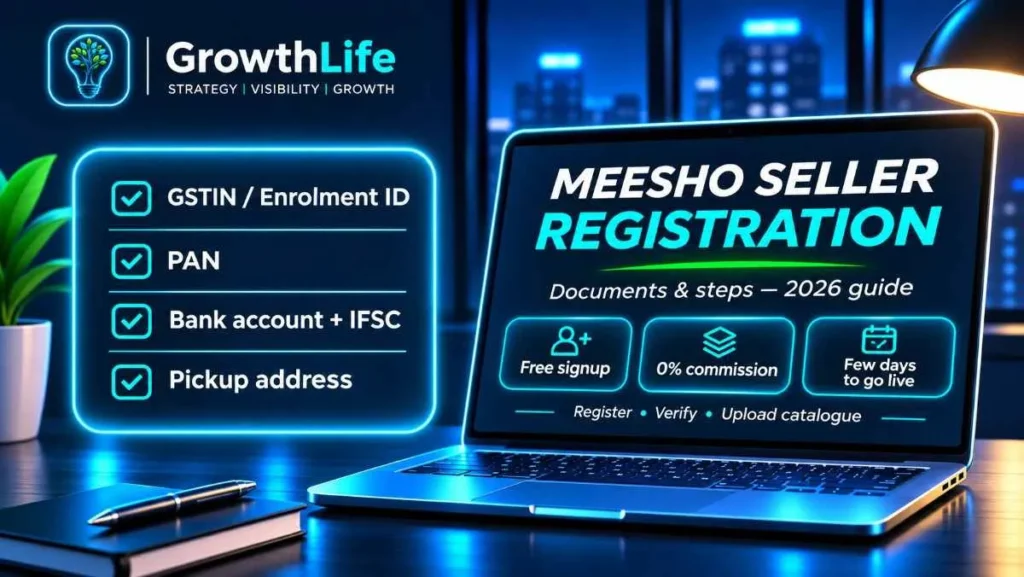
Meesho seller registration is free and done online at supplier.meesho.com. You need a mobile number, email, PAN, a bank account in the same name, a pickup address and either a GSTIN or a free GST Enrolment ID (for small sellers who are not GST registered). Once your details are verified you upload catalogues and start getting orders, with no commission charged on sales.
Quick summary
- Where to register: the official Meesho supplier portal, supplier.meesho.com.
- Cost to register: zero. Meesho does not take a commission on orders.
- Main documents: GSTIN or GST Enrolment ID, PAN, bank account with IFSC, pickup address.
- No GST? You can sell within your own state using an Enrolment ID generated on the GST portal.
- What you actually pay: forward shipping, return shipping on returned orders, and optional ads.
- Time to go live: usually a few days if every name and number matches across documents.
Why sellers start with Meesho
Meesho’s buyers are very price conscious and many live outside the big metros. That suits unbranded and value products: sarees, kurtis, home décor, kitchen tools, phone accessories, kids’ items, small household goods. It is often the easiest first marketplace for a manufacturer or a reseller in a wholesale market, because the paperwork is light and there is no commission eating into a ₹199 product.
The flip side is that price competition is intense and returns can be high in fashion. Treat Meesho as a volume channel. You win by getting your product cost, packaging and shipping weight right, not by charging a premium.
If you plan to sell on more than one marketplace, read this alongside our guides on Amazon seller registration and Flipkart seller registration. The documents overlap, so you can prepare everything once.
Who is eligible to sell on Meesho
Any Indian individual, proprietor, partnership, LLP or company with products to sell can apply. In practice Meesho checks three things:
- Tax identity. Either a GSTIN (regular or composition) or a GST Enrolment ID linked to your PAN.
- Bank account. A current or savings account where the account holder name matches the name on your GSTIN or PAN.
- A pickup address. A real place where couriers can collect parcels. For GST sellers this should be an address registered on your GSTIN (principal or additional place of business).
Some product categories, such as branded goods, certain electronics or regulated items, may ask for extra proof like brand authorisation, invoices or licences. Meesho shows these requirements when you choose the category during catalogue upload.
Selling on Meesho with GST vs without GST
Since 1 October 2023, the GST law (Notification 34/2023-Central Tax) lets small sellers supply goods through e-commerce platforms without GST registration, if they meet these conditions:
- Your aggregate turnover stays below the GST registration limit for your state. For goods this is ₹40 lakh in most states and lower in a few special-category states. Confirm your state’s limit on the GST portal.
- You do not make any inter-state supply. A seller in Rajasthan can only deliver to buyers in Rajasthan.
- You sell through e-commerce in only one state or union territory.
- You have a PAN and you obtain an Enrolment ID from the GST portal before selling.
Meesho’s own supplier page confirms that sellers without a GSTIN can still sell, but adds that Meesho Ads and catalogue ads are available only to sellers with a regular GSTIN. That matters later, when you want to push sales.
| Point | With regular GSTIN | With Enrolment ID (no GST) |
|---|---|---|
| Where you can deliver | All of India | Only within your own state |
| Turnover limit | None | Must stay under your state’s GST threshold |
| Meesho Ads | Available | Not available |
| Input tax credit on purchases | Yes | No |
| GST returns | Monthly or quarterly filing | No GST returns |
| Best for | Anyone planning to scale | Testing products with very low volume |
A composition GSTIN is a middle path: low tax rate and simple returns, but composition dealers are not allowed to make inter-state sales through marketplaces either. If you want all-India orders, you need a regular GSTIN.
Documents checklist for Meesho seller registration
Keep soft copies ready before you open the signup page. Most delays come from a name mismatch between PAN, GSTIN and the bank account.
| Document / detail | Required? | Notes |
|---|---|---|
| Mobile number | Yes | Use a number you will keep long term; it becomes your login and gets OTPs. |
| Email ID | Yes | A business email is better than a personal one you share. |
| GSTIN | Yes, unless you use an Enrolment ID | Must be active. The legal name pulls from the GST database. |
| GST Enrolment ID | Only for non-GST sellers | Generated free on gst.gov.in for unregistered persons supplying via e-commerce. |
| PAN | Yes | Business PAN for companies, LLPs and firms; personal PAN for proprietors. |
| Bank account + IFSC | Yes | Holder name must match GSTIN or PAN name. Meesho runs a small test deposit or penny-drop check. |
| Cancelled cheque / bank proof | Sometimes | Keep a scan in case verification needs it. |
| Pickup address | Yes | For GST sellers, should be on your GST certificate. |
| Product photos and details | For listing | Clear images, sizes, weight, MRP and HSN code. |
| Brand or category approvals | Category dependent | Asked only for certain brands or regulated products. |
How to generate a GST Enrolment ID (if you have no GSTIN)
Do this before starting Meesho signup. It is free and usually takes a few minutes.
- Go to the GST portal and open Services, then User Services, then the option to generate an enrolment for persons supplying through e-commerce operators (the label can change slightly, so look for “unregistered applicant” or “e-commerce enrolment”).
- Enter your PAN, the state you will sell from, your mobile number and email, and verify with OTPs.
- Fill in your business name and the address from where you will ship.
- Submit. The portal gives you an Enrolment ID. Save it with your PAN; Meesho will ask for it.
Your PAN details must be clean. If your PAN and Aadhaar are not linked or the name has a spelling difference, sort that out first.
Meesho seller registration: step-by-step process
- Open the supplier portal. Visit supplier.meesho.com on a laptop or phone and click the button to start selling. Avoid links from random ads or WhatsApp groups; only use the official domain.
- Verify your mobile number. Enter your number and the OTP. Then add your email and set a strong password.
- Enter your GSTIN or Enrolment ID. If you have GST, enter the 15-character GSTIN; Meesho fetches your legal name and registered addresses. If not, choose the option that says you do not have a GSTIN and enter your Enrolment ID instead.
- Add your pickup address. Choose or enter the address where the courier will collect orders. Add a nearby landmark and a correct PIN code; a wrong PIN can mean no pickups or wrong shipping zones.
- Add bank details. Enter the account number and IFSC. Meesho verifies the account with a small deposit or penny-drop check. If the name returned by the bank does not match your GST or PAN name, verification fails.
- Choose your supplier (store) name. This is what buyers see. Keep it short, easy to spell and not a copy of a known brand. If you are stuck, our business name generator gives quick ideas you can check for availability.
- Accept the supplier agreement and submit. Read the terms on returns, cancellations, and prohibited products. Once submitted, you get access to the supplier panel.
- Upload your first catalogues. In the panel, go to catalogue upload, pick the category, and add images, price, MRP, sizes, weight, HSN code and GST rate. You can upload single products or use the bulk sheet.
- Wait for quality checks. Meesho reviews catalogues before they go live. Rejected catalogues show a reason; fix it and resubmit.
- Prepare for your first order. Keep packaging material, a label printer or A4 printer, and a packing area ready. Orders must be packed and marked ready to ship within the dispatch time Meesho shows on the order.
Meesho fees and real costs explained
Meesho’s headline is 0% commission, and that is true: there is no percentage cut on your selling price and no registration fee. But selling is not free. Meesho’s own financial disclosures show that it earns from sellers mainly through logistics and ads. Here is what to budget for:
| Cost | Who pays | How it works |
|---|---|---|
| Registration | Nobody | Free. |
| Commission | Nobody | 0% on orders. |
| Forward shipping | Seller | Based on weight (actual or volumetric), delivery zone and payment mode. Shown when you set the price. |
| Return shipping | Seller | Charged when a returned or undelivered order comes back to you. |
| Ads | Seller (optional) | Cost-per-click ads; available to regular GSTIN sellers. |
| GST TCS | Deducted from payout | 0.5% of net taxable sales for GST-registered sellers since July 2024; claimable in your GST returns. |
| Income tax TDS (194-O) | Deducted from payout | 0.1% since October 2024; adjust in your ITR. |
Shipping rates change, so do not rely on a number from a blog or YouTube video. When you enter your price during listing, Meesho shows the shipping charge and your estimated settlement. Use that figure, then plug your product cost, packaging and expected return rate into our profit margin calculator to see what you really keep per order.
A simple rule: if your margin only works when nothing is returned, your price is too low. Fashion sellers in particular should assume a meaningful share of orders will come back and price for it.
Payment cycle
Meesho promotes a 7-day payment cycle. Payments are released to your bank account after delivery, and each order’s expected payout date appears in the Payments section of the panel. Keep a small cash buffer for the first month, because you pay for stock and packaging before the first settlement lands.
How long does Meesho registration take?
- Filling the form: 15 to 30 minutes with documents ready.
- GSTIN/Enrolment ID and bank checks: usually quick, sometimes 1 to 3 working days.
- First catalogue approval: often within a couple of days; longer if images or details are rejected.
Common rejection reasons and how to fix them
| Problem | Why it happens | Fix |
|---|---|---|
| Bank verification failed | Account holder name differs from GST or PAN name | Use an account in the exact legal name, or update the bank KYC name. |
| GSTIN not accepted | GSTIN cancelled, suspended or returns not filed | Check status on gst.gov.in; file pending returns or reactivate. |
| Enrolment ID error | Typo, wrong state, or PAN details mismatch | Recheck the ID and PAN; regenerate if needed. |
| Pickup address issue | Address not on GST certificate or PIN not serviceable | Add the address as an additional place of business on GST, or use the registered address. |
| Catalogue rejected | Watermarks, collages, blurry images, wrong category, brand logos you are not authorised for | Use clean, single-product images on a plain background and the right category. |
| Duplicate catalogue | Same images as other sellers (often supplier stock photos) | Shoot your own photos; even a phone in daylight works. |
Tips to get your first sales on Meesho
1. Pick products that fit Meesho buyers
Look at what is already selling in your category on the Meesho app: price bands, colours, sizes and review counts. Find products where you can match or beat the common price and still keep a margin after shipping and returns. Light, non-fragile products are easier to start with because shipping cost is lower and damage claims are fewer.
2. Upload several catalogues, not one
A single listing rarely gets traction. Upload multiple catalogues with variations (colours, sets, sizes) so the algorithm has more to test. Keep each catalogue focused on one product type.
3. Photos decide the click
Your first image should show the product clearly, filling most of the frame, on a plain or simple background. Add images that show size, texture, the pack contents and the product in use. Avoid text-heavy collages; they get rejected or ignored.
4. Write titles and details buyers search for
Use the words buyers actually type: material, product type, use and size. “Cotton Printed Kurti for Women, Straight Fit, Daily Wear” works better than a clever name. Fill every attribute field; filters on Meesho depend on them.
5. Price after costs, not before
List your cost price, packaging, shipping shown by Meesho and an allowance for returns. Then decide the price. Do not copy the lowest price in the category unless your numbers support it.
6. Ship on time, every time
Late dispatch and cancellations hurt your ranking. Only list stock you have or can arrange within the dispatch window. Pack well; damaged-in-transit returns are expensive.
7. Earn reviews honestly
Good packaging, accurate photos and correct sizes bring natural ratings. Never offer buyers money or free products for reviews; it breaks marketplace rules and can get your account blocked.
8. Use ads once you have the basics right
If you have a regular GSTIN, start with a small daily budget on your best catalogue. Ads amplify a good listing; they do not fix a bad one.
Meesho vs Flipkart vs Amazon for new sellers
| Point | Meesho | Flipkart | Amazon |
|---|---|---|---|
| Commission | 0% | Varies by category; 0% on eligible items under ₹1,000 and on fashion (per Flipkart announcements) | Referral fee varies by category |
| Non-GST selling | Yes, with Enrolment ID, within your state | Mainly book-only sellers; check current onboarding options | Non-GST categories like books; check Seller Central for other options |
| Buyer profile | Price-sensitive, value shoppers | Mass market, strong in fashion and electronics | Wide, includes premium buyers |
| Best for | Unbranded, low-ticket products | Fashion, home, electronics, brands | Branded and higher-ticket products |
| Fee calculator | Shown in supplier panel | Flipkart commission calculator | Amazon fee calculator |
Many sellers run all three. Start where your product and paperwork fit best, then expand. Our guides on how to sell on Flipkart, how to sell on Amazon India and Amazon seller fees cover the next steps.
After registration: keep your account healthy
Check the supplier panel daily for new orders, pending dispatch, returns and claims. File GST returns on time if you are registered; marketplace TCS shows up in your GST records and needs to match your sales. Keep invoices for stock you buy, especially for branded goods. And if your turnover approaches the GST limit while you sell with an Enrolment ID, register for GST before you cross it and update your GSTIN in the panel.
Want more free planning tools? You will find all our seller calculators on the GrowthLife tools page.
Need help growing beyond Meesho?
We run our own marketplace brands, so we know how much listing quality affects sales. Once your Meesho store is stable, Amazon is usually the next big step for branded products. If you want your Amazon listings written and designed to compete for the first page, see our Page-1 Amazon Listing service. We handle titles, bullet points, backend keywords and image briefs so you can focus on stock and dispatch.
Policies and charges on Meesho change from time to time. Always confirm the latest rules on the official supplier portal before making decisions.
FAQs
Can I register on Meesho without a GST number?
Yes, if you qualify for the GST exemption for small online sellers. You generate a free Enrolment ID on the GST portal using your PAN and enter it instead of a GSTIN during Meesho signup. You can then sell only within your own state, and only from one state, and your turnover must stay under the GST registration limit.
How much does Meesho charge sellers?
Meesho does not charge a commission on orders and registration is free. You do pay shipping on delivered orders and return shipping when a product comes back, and you can choose to pay for ads. Shipping rates depend on weight, zone and payment mode, so check the live charges shown in your supplier panel.
How long does Meesho seller registration take?
Filling the form takes about 15 to 30 minutes if your documents are ready. Verification of GSTIN or Enrolment ID and bank details is usually quick, but it can take a few working days if a detail does not match, so plan for up to a week before your first catalogue goes live.
Which documents do I need for Meesho seller registration?
You need a mobile number and email, a GSTIN or a GST Enrolment ID, a PAN that matches that GSTIN or Enrolment ID, a bank account with IFSC in the same name, a pickup address, and clear product photos. A cancelled cheque or bank proof helps if Meesho asks for extra verification.
When does Meesho pay sellers?
Meesho promotes a 7-day payment cycle, with money released to your bank account after the order is delivered and the return window logic is applied. Exact settlement dates for each order are shown in the Payments section of the supplier panel, which is the number to trust.