Flipkart Seller Registration: Documents & Steps (2026 Guide)
 GrowthLife
21 Oct 2026
11 min read
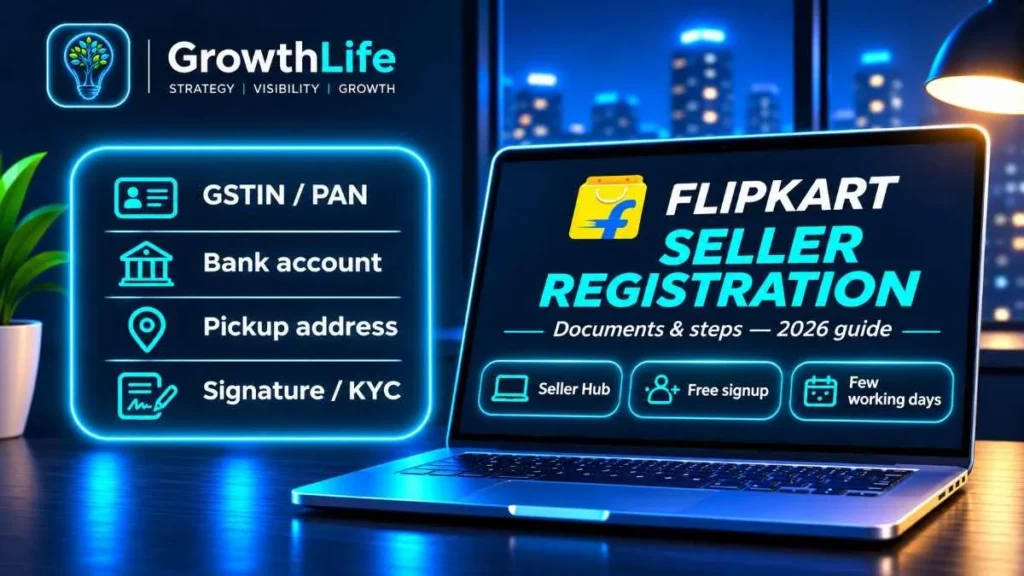
Flipkart seller registration is free and done on the official Flipkart Seller Hub at seller.flipkart.com. You need a GSTIN (or PAN if you sell only books), a PAN, a bank account in the business name, a pickup address and a digital signature. After you verify your details and add your first listings, Flipkart reviews the account, and you can start receiving orders in a few working days.
Quick summary
- Where to register: seller.flipkart.com (Flipkart Seller Hub).
- Registration fee: none. You pay fees per order once you sell.
- Key documents: GSTIN, PAN, bank account and IFSC, pickup address, signature.
- No GSTIN? Book-only sellers can register with PAN; most other categories need GST.
- Commission: zero on eligible products under ₹1,000 and on all fashion, as per Flipkart’s announcements; category rates apply elsewhere.
- Typical time to go live: a few working days if your names and numbers match everywhere.
Why sell on Flipkart
Flipkart is one of India’s two largest general marketplaces. In a July 2026 announcement, Flipkart said it has over 1.4 million sellers (including Shopsy) and a registered user base of more than 500 million. That reach matters most for fashion, home, kitchen, electronics accessories and everyday products, where Flipkart buyers shop heavily during sale events like Big Billion Days.
Flipkart also has Shopsy, its value-focused app. Sellers on Flipkart can list products there too, which helps if your products are low-priced.
If you are planning several marketplaces, read this with our guides on Amazon seller registration and Meesho seller registration. Once you are approved, our guide on how to sell on Flipkart covers listing, pricing and growth.
Who is eligible for Flipkart seller registration
Individuals, sole proprietors, partnership firms, LLPs and private or public limited companies can all register. Flipkart checks a few basics:
- A valid tax identity. An active GSTIN for most categories. If you sell only GST-exempt goods like books, a PAN is enough.
- A bank account where the holder’s name matches the legal name on your GSTIN or PAN.
- A pickup address where Flipkart’s logistics partner (Ekart) can collect orders. For GST sellers this should be on your GST registration.
- Products allowed on Flipkart. Some categories and brands are restricted and need approval, invoices or brand authorisation.
Do you need GST to sell on Flipkart?
For most categories, yes. Flipkart’s onboarding asks for a GSTIN and uses it to pull your legal business name. Book-only sellers can choose the option for non-GST goods and continue with PAN.
There is also a GST law angle. Since 1 October 2023 (Notification 34/2023-Central Tax), small sellers can sell goods through e-commerce platforms without GST registration if they stay under their state’s turnover limit, sell only within their own state, sell from only one state and get an Enrolment ID on the GST portal. Whether Flipkart offers this route for your category can change, so check the signup screen. If you want orders from all over India, plan for a regular GSTIN anyway. Composition dealers cannot make inter-state sales through marketplaces either.
Documents checklist for Flipkart seller registration
| Document / detail | Who needs it | Tips |
|---|---|---|
| Mobile number and email | Everyone | Use details you control long term; OTPs and order alerts go here. |
| GSTIN | All sellers except book-only (non-GST) sellers | Must be active, with returns up to date. |
| PAN | Everyone | Personal PAN for proprietors; business PAN for firms, LLPs and companies. |
| Bank account number + IFSC | Everyone | Name must match GSTIN or PAN legal name. A current account in the business name is ideal. |
| Cancelled cheque or bank statement | If asked during KYC | Keep a clear scan ready. |
| Pickup / business address | Everyone | Use an address on your GST certificate; correct PIN code matters for pickups. |
| Digital signature | Everyone | Drawn on screen or uploaded as an image; used on invoices. |
| Business proof (partnership deed, incorporation certificate) | Firms, LLPs, companies, if requested | Usually your GST record is enough, but keep these handy. |
| Brand authorisation / trademark / invoices | Restricted brands and categories | Needed to list well-known brands or regulated items. |
Flipkart seller registration: step-by-step process
- Go to Flipkart Seller Hub. Open seller.flipkart.com on a laptop (it is easier than mobile for this) and click Start Selling. Type the address yourself; do not use links from unknown messages.
- Verify mobile and email. Enter your mobile number and email ID, then confirm both with OTPs.
- Enter GSTIN or choose non-GST. Enter your 15-character GSTIN. Flipkart fetches your legal name and registered address from the GST database. If you sell only books, choose the non-GST option and enter your PAN.
- Set a password and your name. Create a secure password and enter the full name of the account owner as asked.
- Choose your display (store) name. This is what buyers see on your listings. Keep it short, readable and unique. Our business name generator can help you shortlist names.
- Add your pickup address. Enter the address and PIN code where orders will be collected. Check that it is serviceable and matches your GST record.
- Add bank details. Enter your account number and IFSC. Flipkart verifies the account; a name mismatch is the most common reason this step fails.
- Add your signature. Draw or upload your signature. It is used on the tax invoices generated for your orders.
- Complete KYC if asked. Upload any proof requested, such as a cancelled cheque or address proof.
- Create your first listing. Pick the category, then add product images, title, description, MRP, selling price, stock, HSN code, GST rate, package weight and dimensions. You can list one product at a time or use bulk upload sheets.
- Wait for verification. Flipkart reviews your details and listings. Once approved, your listings go live and your dashboard shows orders, payments and performance.
Flipkart seller fees explained
Signing up is free. Costs start only when you sell, and they are deducted from your payout. The main components are:
| Fee | What it is | What to know |
|---|---|---|
| Commission | A percentage of the selling price, set by category | Flipkart announced 0% commission for eligible products under ₹1,000 (November 2025) and for all fashion products (July 2026). Other categories still pay commission. |
| Fixed fee | A flat fee per order, based on price slab and seller tier | Applies to delivered orders; varies by slab. |
| Collection fee | Covers payment processing | Differs for prepaid and cash on delivery orders. |
| Shipping fee | Delivery cost charged to you | Based on the higher of actual or volumetric weight and the delivery zone (local, zonal, national). |
| Reverse shipping | Cost of bringing returns back | Charged on returns in many categories. |
| GST on fees | 18% on Flipkart’s service fees | Registered sellers can usually claim it as input tax credit. |
| TCS and TDS | Tax collected/deducted by Flipkart | GST TCS of 0.5% and income tax TDS of 0.1% at current rates; both are adjustable in your returns. |
Exact numbers change with Flipkart’s rate card, so use the fee preview in Seller Hub before pricing. For a quick estimate, our Flipkart commission calculator breaks down the deductions on a given selling price, and the profit margin calculator shows what you keep after product cost, packaging and returns.
When does Flipkart pay sellers?
Flipkart settles payments to your bank account on a regular cycle after the order is dispatched or delivered, and sellers in higher tiers can get faster settlements. Flipkart’s own marketing has long highlighted payments in about 7 days, but the current cycle for your account is shown in the Payments section of Seller Hub. Check that rather than relying on a general figure.
How long does Flipkart seller registration take?
- Signup form: 30 to 60 minutes with documents ready.
- GSTIN and bank verification: often the same day, sometimes a few working days.
- Listing approval and account activation: usually a few working days after your first listings are submitted.
- Brand or category approvals: can take longer because documents are reviewed manually.
Common rejection reasons and how to fix them
| Issue | Likely cause | Fix |
|---|---|---|
| GSTIN not accepted | GSTIN cancelled, suspended, or returns pending | Check status on gst.gov.in, file pending returns, then retry. |
| Bank verification failed | Account name differs from GST legal name | Use an account in the exact legal name or correct the bank KYC. |
| Pickup not serviceable | Wrong or unserviced PIN code | Recheck the PIN; use another registered address if needed. |
| Listing rejected | Poor images, watermarks, wrong category, missing attributes | Use clean product images on a white background and fill every required field. |
| Brand approval denied | No authorisation or invoices from the brand owner | Upload a valid brand authorisation letter, trademark certificate or purchase invoices. |
| Signature or KYC rejected | Unclear image or document mismatch | Upload a clear scan where the name matches your records. |
Mistakes to avoid while registering
- Different names everywhere. Your GSTIN, PAN and bank account must show the same legal name. Fix this before you start.
- Using a personal savings account for a firm. A partnership or company should use a current account in its own name.
- Listing branded products without paperwork. Reselling known brands often needs authorisation. Without it you risk listing blocks.
- Wrong package dimensions. Shipping is charged on the higher of actual or volumetric weight. Measure your packed product, not the bare item.
- Copying a competitor’s images or text. Duplicate content can be rejected and does nothing to make your listing stand out.
Tips to get your first sales on Flipkart
Start with a focused range
List 10 to 20 products you can keep in stock, rather than hundreds you cannot support. Stockouts and cancellations hurt your seller rating early on.
Make the main image count
Use a clean white background, show the product clearly and add supporting images: size reference, close-ups, what is in the box and the product in use.
Write titles with real search words
Include product type, key feature, material, size or quantity. Buyers search in plain words, so “Stainless Steel Lunch Box 3 Containers, Leak Proof” beats a vague brand-only title. Fill every attribute; Flipkart’s filters depend on them.
Price with all fees counted
Work out your landed cost, Flipkart fees and shipping, plus a returns allowance, before you set the price. If your product is under ₹1,000 or in fashion, check whether zero commission applies; it can change which price point works best.
Earn genuine ratings
Ship fast, pack well and describe products accurately. Never pay or reward buyers for reviews; it violates Flipkart’s policies.
Try ads with a small budget
Once a listing has good images and a fair price, Flipkart Ads can help it get its first orders. Start small, watch the cost per order and keep only what is profitable.
Flipkart vs Amazon vs Meesho at a glance
| Point | Flipkart | Amazon | Meesho |
|---|---|---|---|
| Registration fee | Free | Free | Free |
| GST needed | Yes, except book-only sellers (check current options) | Yes, except non-GST categories like books (check current options) | GSTIN or Enrolment ID (own state only) |
| Commission | Category-wise; 0% on eligible items under ₹1,000 and fashion | Category-wise referral fee | 0% |
| Strengths | Fashion, home, electronics, big sale events | Brands, wide catalogue, premium buyers | Low-ticket, unbranded products |
| Fee planning | Flipkart calculator | Amazon fee calculator | Shown in supplier panel |
For a deeper look at Amazon costs, read our guide on Amazon seller fees, and for the full Amazon process see how to sell on Amazon India. You can find all our free seller calculators on the tools page.
After approval: first-week checklist
- Check that every listing is live and searchable on the Flipkart app.
- Set your dispatch time realistically and keep packaging ready.
- Print a test shipping label so you are not figuring it out with a pending order.
- Review the Payments section so you understand deductions on your first settlement.
- Note your GST filing dates; Flipkart’s TCS needs to match your returns.
Growing across marketplaces
We run our own marketplace brands, so we have seen how much a strong listing changes results. If you also sell or plan to sell on Amazon, our Page-1 Amazon Listing service takes care of keyword research, titles, bullet points, backend search terms and image briefs, so your products have a real chance at the first page.
Flipkart’s onboarding screens, fees and policies change from time to time. Before you make pricing or tax decisions, confirm the latest details on Flipkart Seller Hub.
FAQs
Is Flipkart seller registration free?
Yes. Creating a seller account on Flipkart Seller Hub costs nothing and there is no monthly subscription. You pay fees only when you sell: commission where it applies, a fixed fee, collection fee and shipping, plus GST on those fees.
Can I sell on Flipkart without GST?
Only in limited cases. Sellers who deal only in GST-exempt goods, mainly books, can register with PAN instead of a GSTIN. For almost every other category Flipkart asks for a GSTIN. GST law also allows small sellers to sell within their own state using a GST Enrolment ID, so check the current options on the Flipkart signup screen before you decide.
What documents are required for Flipkart seller registration?
You need a mobile number and email, GSTIN (or PAN for book-only sellers), PAN, a bank account with IFSC in the business name, a pickup address, a digital signature drawn or uploaded during signup, and KYC proof such as a cancelled cheque or address proof if Flipkart asks for it.
How long does it take to get a Flipkart seller account approved?
The signup form takes under an hour if documents are ready. Verification of GSTIN, bank account and your first listings usually takes a few working days. Mismatched names, a cancelled GSTIN or rejected listings are the most common reasons it takes longer.
Does Flipkart charge commission on every product?
No. Flipkart announced zero commission for eligible products priced below ₹1,000 in November 2025 and extended zero commission to all fashion products in July 2026. Other categories still carry a category-wise commission. Fixed fee, collection fee and shipping can still apply, so check the rate card in Seller Hub.