What Is SEO? Full Form, How It Works & Beginner Guide (2026)
 GrowthLife
21 Oct 2026
11 min read
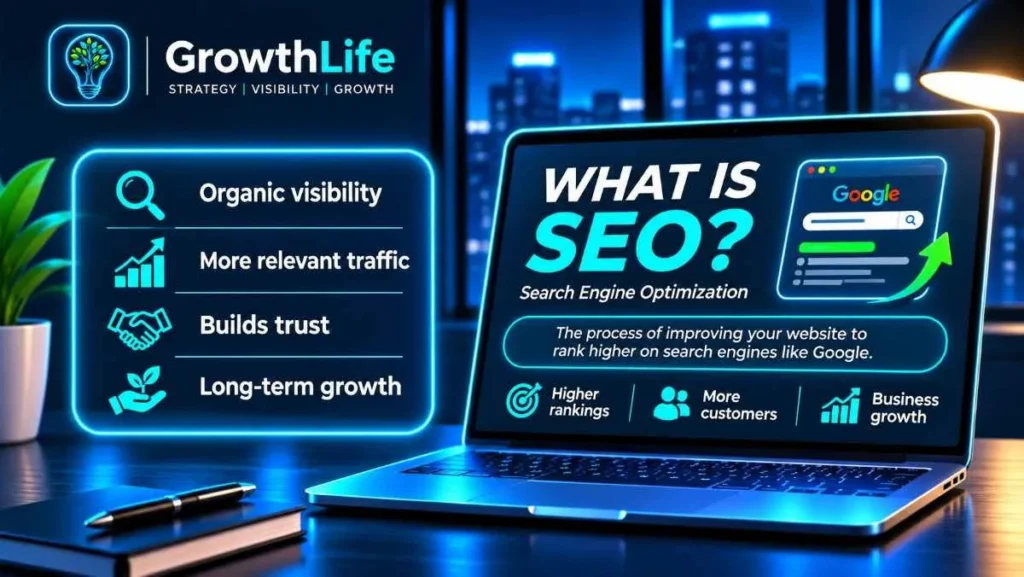
SEO, full form Search Engine Optimization, is the work of making your website easy for search engines like Google to find, understand and trust, so your pages show up when people search for what you sell or know. It covers your content, your site’s technical health, links and mentions from other sites, and your local listings. Unlike ads, you do not pay per click, but results take months of steady work.
Quick summary
- SEO full form: Search Engine Optimization.
- Google works in three stages: crawling (finding pages), indexing (understanding and storing them) and serving (ranking them for a search).
- Four main areas: on-page SEO, technical SEO, off-page SEO and local SEO.
- AI search (Google AI Overviews, AI Mode, ChatGPT and others) builds on the same foundations. Optimising for AI answers is often called GEO.
- No one can pay Google to rank higher, and no one can guarantee a number one position.
- Expect results in months. Basics can be done yourself; competitive markets usually need expert help.
SEO full form and meaning
SEO stands for Search Engine Optimization. “Optimization” here does not mean tricking Google. It means removing the reasons a search engine would ignore your page and giving it every reason to choose you: a clear answer to the searcher’s question, a fast and working website, and signals from the rest of the web that you are real and trustworthy.
When someone in Jaipur searches “wooden spatula set” or “CA for GST filing near me”, Google shows two kinds of results: paid ads, marked as sponsored, and organic results it picks on its own. SEO is about winning those organic spots. Paid search (Google Ads) is a separate discipline called SEM or PPC.
How Google search works: crawl, index, rank
Google explains its process in its official guide to how Search works. In simple words:
1. Crawling
Google’s crawler, Googlebot, discovers pages by following links from pages it already knows and by reading sitemaps you submit. It downloads the page, including text, images and videos, and renders it much like a Chrome browser would. Pages blocked by robots.txt, hidden behind logins or on a server that keeps failing may not be crawled.
2. Indexing
Google then tries to understand what the page is about: the text, the title tag, headings, image alt text and structured data. When several pages are very similar, it groups them and picks one as the canonical version to show. The understood page is stored in Google’s index. Indexing is not guaranteed; thin, duplicate or low-quality pages are often left out.
3. Serving and ranking
When someone searches, Google looks through its index for matching pages and orders them using many signals, including relevance to the query, quality, usability and the searcher’s location, language and device. That is why the same search shows different results in Delhi and Pune, and on mobile and desktop.
One important line from Google: it does not accept payment to crawl a site more often or rank it higher. Anyone who says they have a “Google partner shortcut” for organic rankings is wrong.
The four types of SEO
| Type | What it covers | Examples |
|---|---|---|
| On-page SEO | The content and HTML of each page | Keywords, titles, meta descriptions, headings, internal links, images, helpful content |
| Technical SEO | How well search engines can crawl, render and index your site | Speed, mobile-friendliness, HTTPS, sitemaps, robots.txt, canonical tags, structured data, fixing errors |
| Off-page SEO | Signals from outside your website | Links from relevant sites, brand mentions, PR, reviews, social presence |
| Local SEO | Showing up for searches near a location | Google Business Profile, Maps rankings, consistent name, address and phone, local reviews |
On-page SEO
Every important page should target one main topic and answer it better than the pages already ranking. Practical points:
- Keyword research: find the exact words buyers use. Google’s autocomplete, “People also ask” and Search Console show real queries.
- Title tag: put the main keyword near the start, keep it readable and roughly 50 to 60 characters so it is not cut off.
- Meta description: a 140 to 160 character summary that makes people click. Google may rewrite it, but a good one still helps. Draft options with our meta description generator.
- Headings: one H1 for the page, then H2s and H3s that break the topic into clear sections.
- Content: written for people, with specifics: prices, steps, comparisons, photos, your own experience. Google’s guidance repeatedly stresses helpful, reliable, people-first content.
- Internal links: link related pages to each other with descriptive anchor text so both users and Google can find them.
- Images: compressed files, descriptive file names and alt text.
Technical SEO
Technical SEO makes sure good content can actually be found. The basics for most small business sites:
- A fast site on mobile, measured with Core Web Vitals in PageSpeed Insights and Search Console.
- HTTPS on every page, and one version of the domain (with or without www) redirecting to the other.
- An XML sitemap submitted in Search Console.
- A correct robots.txt that does not accidentally block important pages. Our robots.txt generator helps you build a clean one.
- Canonical tags on duplicate or filtered pages, common on online stores.
- Structured data (schema markup) for your organisation, products, articles, FAQs and local business details, so search engines understand page content. Create it with our schema markup generator.
- Fixing broken links, 404 errors and redirect chains.
Off-page SEO
Links from other websites act like recommendations. One link from a respected industry site, news portal or supplier is worth far more than hundreds from random directories. Good ways to earn them: be listed with your suppliers and partners, get covered in local news, publish useful guides others cite, join industry associations and speak at events. Avoid buying links in bulk; Google treats link schemes as spam and can ignore or penalise them.
Local SEO
For shops, clinics, restaurants, showrooms and service providers, local SEO often brings the fastest results. Claim your free Google Business Profile, choose accurate categories, add real photos, hours and services, and ask happy customers for reviews. Keep your business name, address and phone number the same on your website, Google, Justdial, IndiaMART and social profiles.
SEO vs AI search: AI Overviews, ChatGPT and GEO
Search is no longer just ten blue links. Google shows AI Overviews at the top of many results and offers AI Mode for longer, conversational questions. Many people also ask ChatGPT, Gemini, Perplexity or Copilot directly. These tools summarise answers and cite sources.
What does that mean for SEO? Google’s own guidance on AI features says:
- The same SEO best practices apply. There are no extra requirements to appear in AI Overviews or AI Mode.
- To show as a supporting link, a page must be indexed and eligible to appear in Search with a snippet.
- You do not need special AI text files or special schema just for AI features.
- Traffic from these features is included in Search Console’s Performance report under the Web search type.
- Normal controls such as nosnippet and noindex also apply to AI features.
GEO (Generative Engine Optimization) is the newer name for making your brand and content easy for AI systems to find, trust and cite. In practice it extends good SEO: clear direct answers near the top of a page, well-structured headings and tables, accurate facts with dates, a consistent brand presence across trusted sites, reviews, and pages that AI crawlers can access. Our guide to generative engine optimization goes deeper.
| Point | Classic SEO | GEO / AI search |
|---|---|---|
| Goal | Rank pages in search results and earn clicks | Be cited or recommended inside AI answers |
| Main surfaces | Google and Bing results, Maps | AI Overviews, AI Mode, ChatGPT, Gemini, Perplexity, Copilot |
| What helps | Relevance, quality content, technical health, links | The same, plus clear answers, structured facts and brand mentions on trusted sites |
| Measurement | Rankings, clicks, conversions in Search Console and analytics | Citations and mentions, referral traffic from AI tools, branded search growth |
A beginner SEO checklist
- Set up Google Search Console at search.google.com/search-console, verify your domain and submit your sitemap. Add Bing Webmaster Tools too.
- Check indexing. Use the Pages report to see which pages are indexed and why others are not.
- List 10 to 20 keywords your buyers actually search, grouped by page: home, each service or category, and key products.
- Fix titles and meta descriptions on your top pages so each is unique and includes its main keyword.
- Make every key page genuinely useful. Add prices or price ranges, process, FAQs, photos, case details and contact options.
- Test speed and mobile. Compress images, remove heavy plugins and make sure buttons work on a phone.
- Add schema for your organisation or local business, and for products or articles where relevant.
- Claim Google Business Profile if you serve customers locally, and start asking for reviews.
- Link pages internally so every important page is reachable within a few clicks from the home page.
- Publish helpful content regularly that answers questions your customers ask you on calls and WhatsApp.
- Earn a few quality links from suppliers, partners, associations and local media.
- Review monthly. In Search Console, look at which queries bring impressions but few clicks, and improve those pages.
Google’s own SEO starter guide is a good free companion to this list, and our free SEO and marketing tools help with titles, schema and robots.txt.
How long does SEO take?
SEO is slow by nature, and anyone promising page one in two weeks is selling something risky. Typical patterns:
- Technical fixes such as unblocking pages or fixing indexing can show changes soon after Google recrawls the site.
- Local SEO improvements often show within weeks to a few months, especially in less crowded categories or smaller cities.
- New content and new websites usually need several months to build visibility.
- Competitive keywords in crowded industries can take a year or more of steady work.
Speed depends on your site’s age and history, competition, how much useful content you publish, and whether other sites mention you. Google’s page on hiring an SEO puts it bluntly: no one can guarantee a number one ranking.
Common SEO mistakes small businesses make
| Mistake | Fix |
|---|---|
| Same title on every page, or just the business name | Unique, keyword-led title for each page |
| Copying product descriptions from suppliers or other sites | Write your own with details buyers care about |
| Website blocked from Google after a redesign | Check robots.txt and noindex tags after every launch |
| Slow site with huge images and too many plugins | Compress images, use caching, remove what you do not need |
| Buying cheap backlink packages | Earn fewer, relevant links from real businesses and media |
| Changing URLs without redirects | Set up 301 redirects from every old URL to the new one |
| Ignoring Google Business Profile and reviews | Complete the profile, post updates, reply to every review |
DIY SEO vs hiring an expert
| Situation | DIY is fine | Get expert help |
|---|---|---|
| Local shop or service with a small site | Yes, with Search Console, Business Profile and reviews | If competitors dominate Maps or you have no time |
| Online store with hundreds of products | Basic product descriptions | Category structure, filters, canonical tags, schema, speed |
| Website redesign or migration | Rarely | Yes, to protect existing rankings with proper redirects |
| Competitive keywords nationally or abroad | Content support | Strategy, content plan, technical audits and link earning |
| Wanting visibility in AI answers | Clear FAQs and structured pages | GEO audits, entity and brand presence across trusted sites |
If you hire, ask for examples of past work, how they will measure success, and whether they follow Google Search Essentials. Walk away from guarantees of number one rankings or “secret” link networks.
SEO works well alongside other channels. Many of our readers combine it with WhatsApp follow-ups; see our WhatsApp Business API guide. If you are still choosing what to sell, start with our list of small business ideas in India.
Want help growing your search traffic?
GrowthLife helps Indian businesses and D2C brands get found on Google and in AI answers, with technical audits, on-page fixes, content planning, local SEO and GEO. We use the same methods on our own websites and online stores. Explore our SEO services to plan your next step.
FAQs
What is the full form of SEO?
SEO stands for Search Engine Optimization. It means improving your website and online presence so search engines like Google can find, understand and show your pages to people searching for what you offer, without paying for each click.
Is SEO free?
Google does not charge for organic rankings and does not accept payment to rank a site higher. But SEO still costs time or money: content, a fast website, tools and expert help. Compared with ads, the difference is that you are not paying for every visitor.
How long does SEO take to show results?
Usually months, not weeks. A new site with little content and few links takes longer than an established one, and competitive keywords take longer than local or niche ones. Technical fixes can show effects soon after Google recrawls, while content and links build up over time. Be wary of anyone who guarantees a number one ranking.
Is SEO still worth it with AI Overviews and ChatGPT?
Yes. Google says its AI Overviews and AI Mode use the same index and the same SEO basics, and that pages must be indexed and eligible for a snippet to appear as links in them. AI assistants also cite well-structured, trusted web pages. Good SEO is the foundation for showing up in both classic results and AI answers.
Can I do SEO myself?
Yes, for the basics. A small business owner can set up Google Search Console and Google Business Profile, write helpful pages, fix titles and descriptions and collect reviews. For technical problems, competitive keywords, large catalogues or site migrations, an experienced SEO professional usually saves time and avoids costly mistakes.